Farewell Windows 10
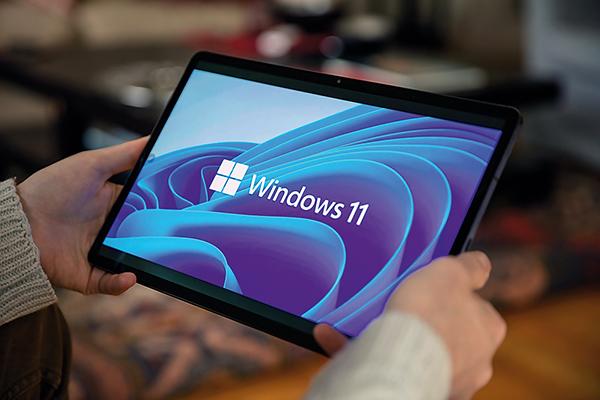
Microsoft’s Windows 11 OS increases the specification and security requirements so that many older PCs, happily running on Windows 10, are left behind. Barry Fox searches for a solution
We need to talk about Windows, even (indeed, especially) if you hate computers. Like it or not, listening to music now relies on some kind of home computing. We need computers to buy hi-fi equipment or discs online, download high-res, stream low-res, access Internet radio, archive audio, ‘store and serve’ music round the home, read reviews, share opinions and just write an email or letter. And if you don’t use an Apple Mac, you will be locked into the ‘wonderful’ world of Windows.
Putting the boot in
In October this year, Microsoft will stop supporting every version of Windows except Windows 11 – so farewell Windows 10. Unless the user pays a high price for special subscription treatment, they will get no more security upgrades to stop malware flooding in from the Internet. Malware means ransom demands (‘pay us cash in cryptocurrency or we will wipe your hard drive’) or stolen bank details, identity theft, etc.
Newish computers can usually upgrade from Windows 10 to 11, for free. But anything more than five years old may not upgrade because it does not meet Microsoft’s technical specification check. Microsoft just says ‘buy a new computer’.
Are there other options? Well, it may be possible to edit a Windows 10 PC’s registry (core software that stores vital settings) with a tool called Regedit. This may fool Microsoft’s specification check and force an online upgrade. But unless you are skilled, don’t try it. Messing up the registry can ‘brick’ a PC. Forcing an upgrade is tricky and risky.
I have successfully bullied one newish, but upgrade-rejected, Windows 10 PC into accepting Windows 11. So far it is working, but I can’t be sure it will continue. Two older Windows 10 devices refuse to be forced.
Some IT nerds will tell you to ditch Windows and install the ‘open source’ Linux operating system instead. I have tried ‘going Linux’ several times over several years. The look and feel is very different from Windows and Linux won’t run your Windows programs and apps.
To confuse the issue, there are many different distribution flavours, or ‘distros’, of Linux, such as Ubuntu, Debian, Red Hat, Azure and Mint. I’ve tried Ubuntu and found it uncomfortable. So I tried Mint (more accurately the Cinnamon version of Mint). My advice to music-loving humans is: don’t go there.
Why? Mint Cinnamon downloads as an ISO file which must be burned to bootable USB (or DVD), which involves downloading a free program like Etcher or Rufus to perform the burn. Many of the download sites try to trick the user into also downloading other completely different software that earns them money. You will also need to deal with onscreen warnings about ‘harming’ your computer.
Then you have to get the PC to instigate the installation process from the bootable USB or DVD. This involves tapping the correct Function key at the correct time to stop Windows starting, and trigger Linux installation. You are now offered the opportunity to ‘Install’, but doing so will over-write Windows. The safer bet is to install Linux on a USB stick to trial it. Newbies are offered no help on this elephant trap.
If and when everything is working as it should, the computer start-up screen will look nothing like a Windows screen. How things work is different too.
By now you get the picture. If what you want to do is listen to music, not learn to perform surgery inside computers, installing Linux instead of Windows is not a good way to go.
Pay to play
It’s possible that before the October end of Windows 10, the fragmented Linux world will have got itself together and come up with an appealing alternative. Or Google might offer a version of its Android OS for ex-Windows PCs. But don’t bet on either.
For those who care more about music than messing with computers, the best option is to buy a Windows 11 PC. Or isolate your Windows 10 PC from the Internet so that malware cannot get into it. Windows will continue to work, but there will be a lot you can no longer do – like accessing music online.


























 SPONSORED VIDEO






| Equipment Reviews |  |
Music Reviews Awards | |
Latest News Features | |
Resources Newsletters | |
Subscriptions |
WHERE TECHNOLOGY BECOMES ENTERTAINMENT
 © 2026 Hi-Fi News
AVTech Media Ltd
All rights reserved